About Kea
Plan with intelligence Treat with intent
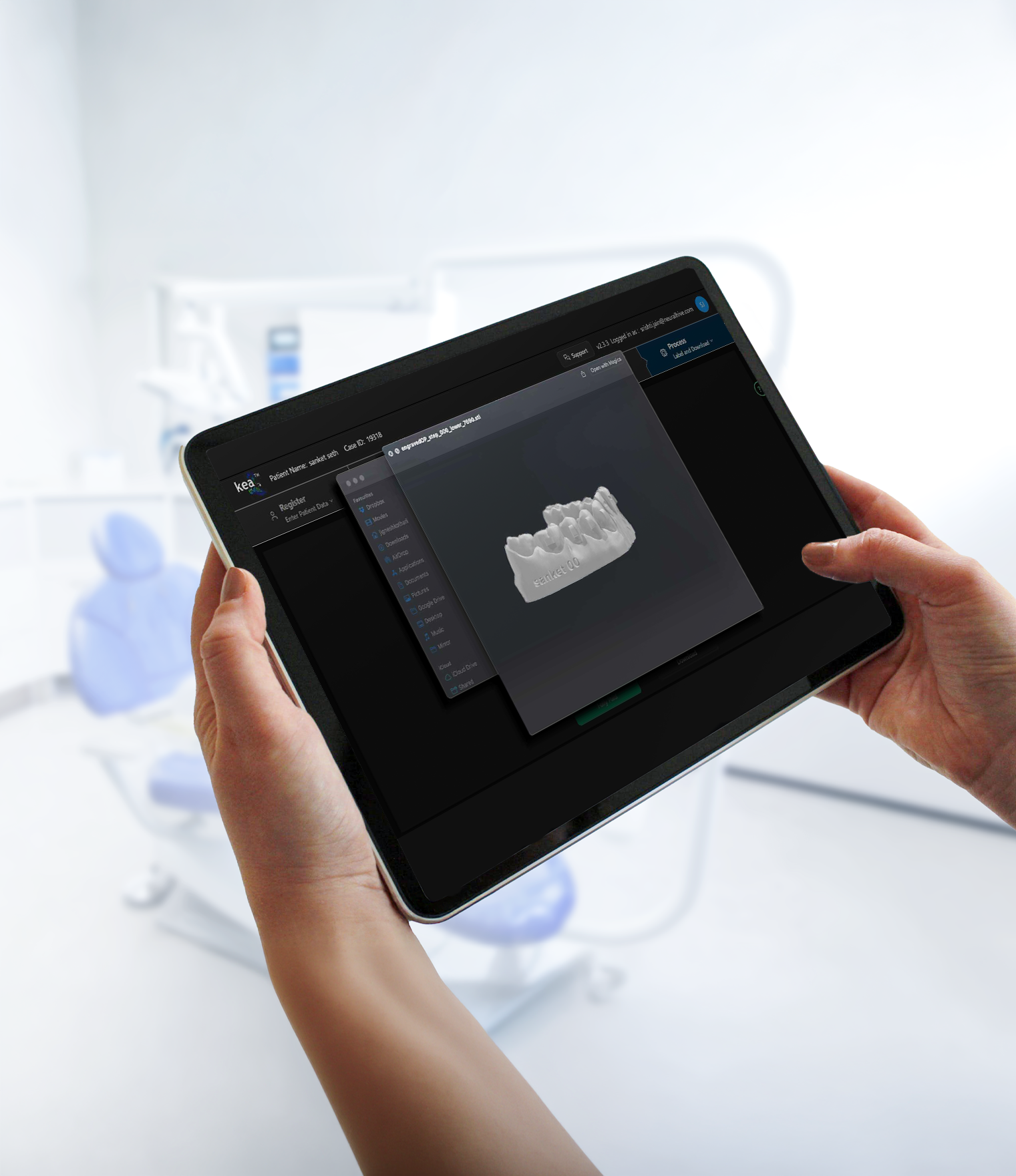
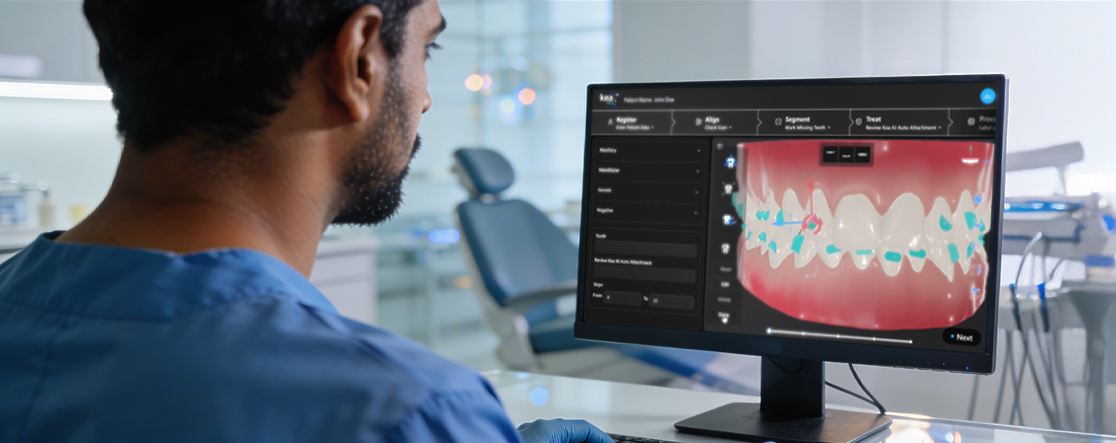
Kea is the world's first fully web-based, clear aligner planning suite built for orthodontists who want clinical control, not outsourced decisions. It combines AI-powered tools with orthodontist-led staging, so every movement is guided by your diagnosis, not a black-box algorithm.

Features
.png)
Web-Based Planning Platform
Access Kea from any device without installations or heavy hardware, making planning possible in the clinic or remotely
.png)
Auto Tooth Segmentation
Automated segmentation speeds up case setup while preserving manual control for clinical refinements
.png)
Orthodontist-Led Staging Tools
Design movement sequences based on biomechanics and biology, not pre-fixed automation logic
.png)
Mid-Course Modification
Edit treatment plans during active therapy to address tracking issues or biological limitations
.png)
Integrated Clear Aligner Production Workflow
Plans move seamlessly into clear aligner manufacturing without exporting across disconnected systems
.png)
AI-Powered
Every stage is powered by AI to fast-track the process while keeping the control in your hands
Web-Based Planning Platform
Access Kea from any device without installations or heavy hardware, making planning possible in the clinic or remotely
Auto Tooth Segmentation
Automated segmentation speeds up case setup while preserving manual control for clinical refinements
Orthodontist-Led Staging Tools
Design movement sequences based on biomechanics and biology, not pre-fixed automation logic
Mid-Course Modification
Edit treatment plans during active therapy to address tracking issues or biological limitations
Integrated Clear Aligner Production Workflow
Plans move seamlessly into clear aligner manufacturing without exporting across disconnected systems
AI-Powered
Every stage is powered by AI to fast-track the process while keeping the control in your hands
Benefits

Clinical Accountability
You remain responsible for treatment decisions instead of relying on outsourced planners.
Kea gives you control at every stage so the treatment plan reflects your clinical judgment, not a template.
.png)
Case Starts Faster
Kea eliminates your dependency on external third party providers for case planning.
Reduced planning time means patients begin treatment sooner and your practice moves faster.

Predictable Outcomes
Staged planning reduces overcorrections and biological mismatch, improving tracking reliability.
This means less chair time managing cases that have drifted from the original prescription.

Stronger Practice Economics
Controlled refinements and in-house planning reduce waste and improve profit margin per case drastically.
Run a practice that's leaner, scales more predictably, and enables you to keep more of what you earn.
How to use Kea
Register
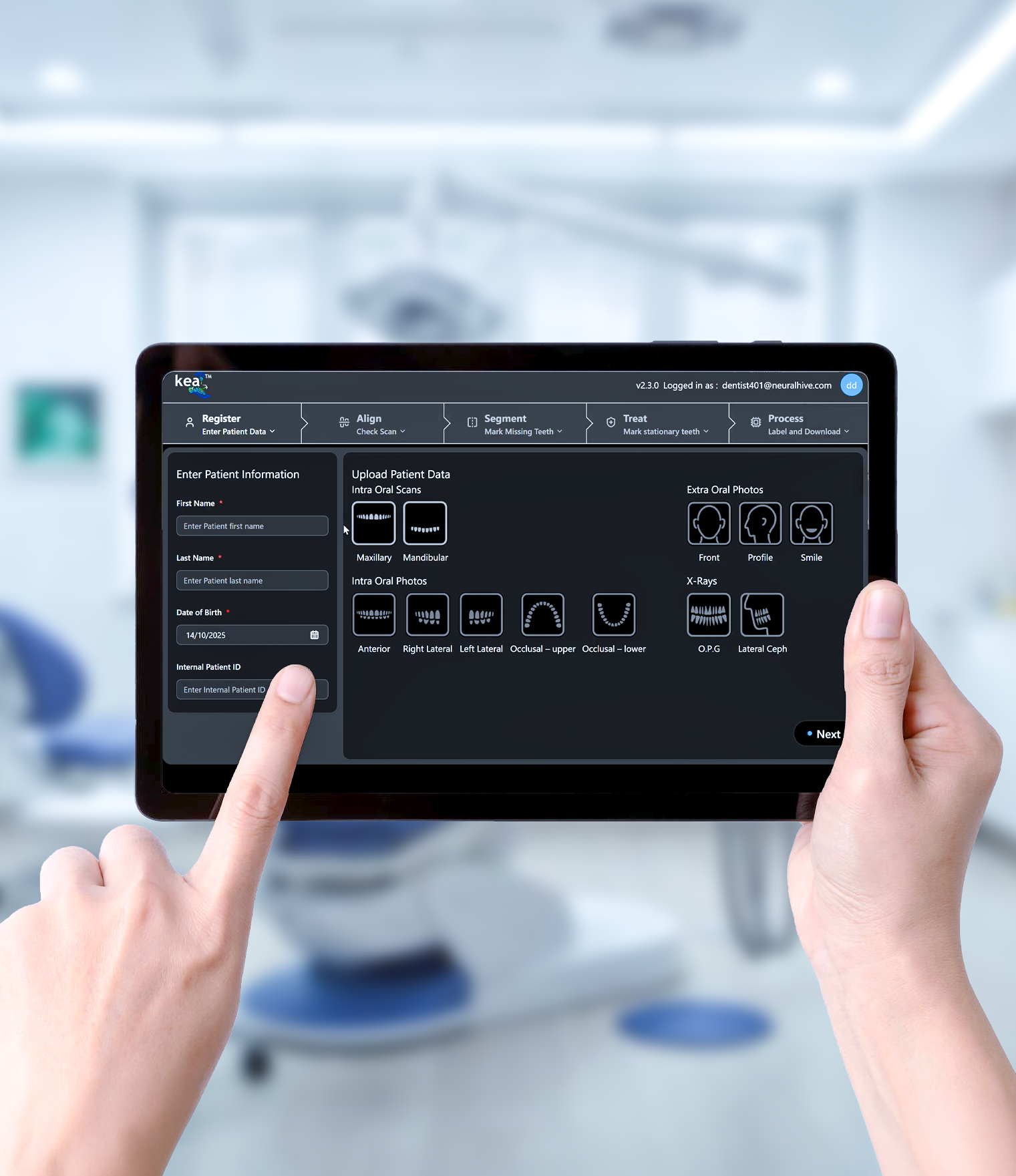
Upload and organise patient data.
Create a new case by entering the patient’s name and date of birth. Kea automatically generates a unique patient ID for tracking.
Upload mandatory intra-oral scans and optionally add photographs and X-rays.
All data is securely stored on the cloud and can be accessed anytime, from anywhere.
Align
Create treatment alignment.
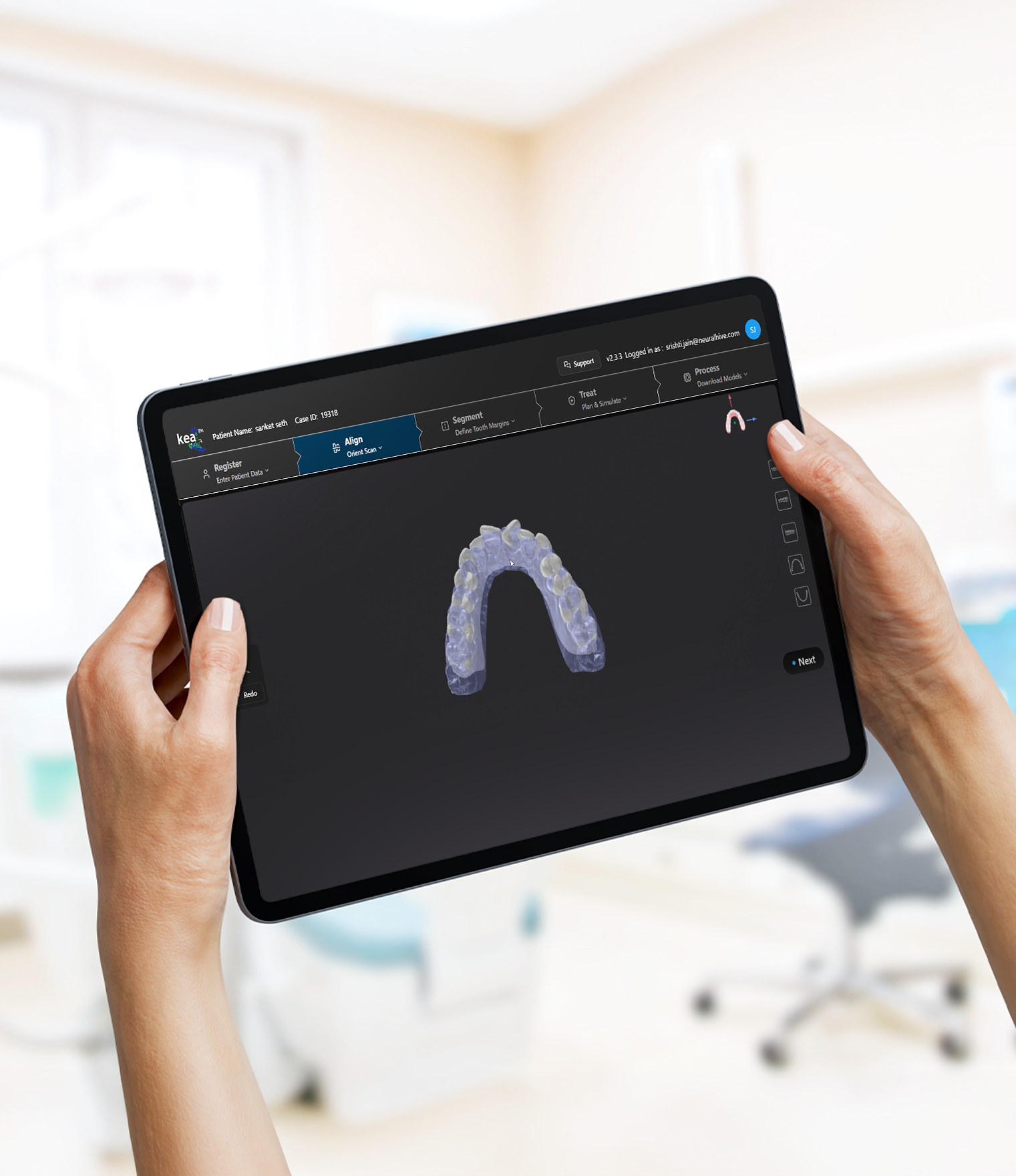
Use Kea’s planning interface to align the digital model and evaluate tooth positions.
The system automatically identifies teeth and suggests alignment adjustments.
Clinicians can manually refine the setup to achieve the ideal treatment outcome.
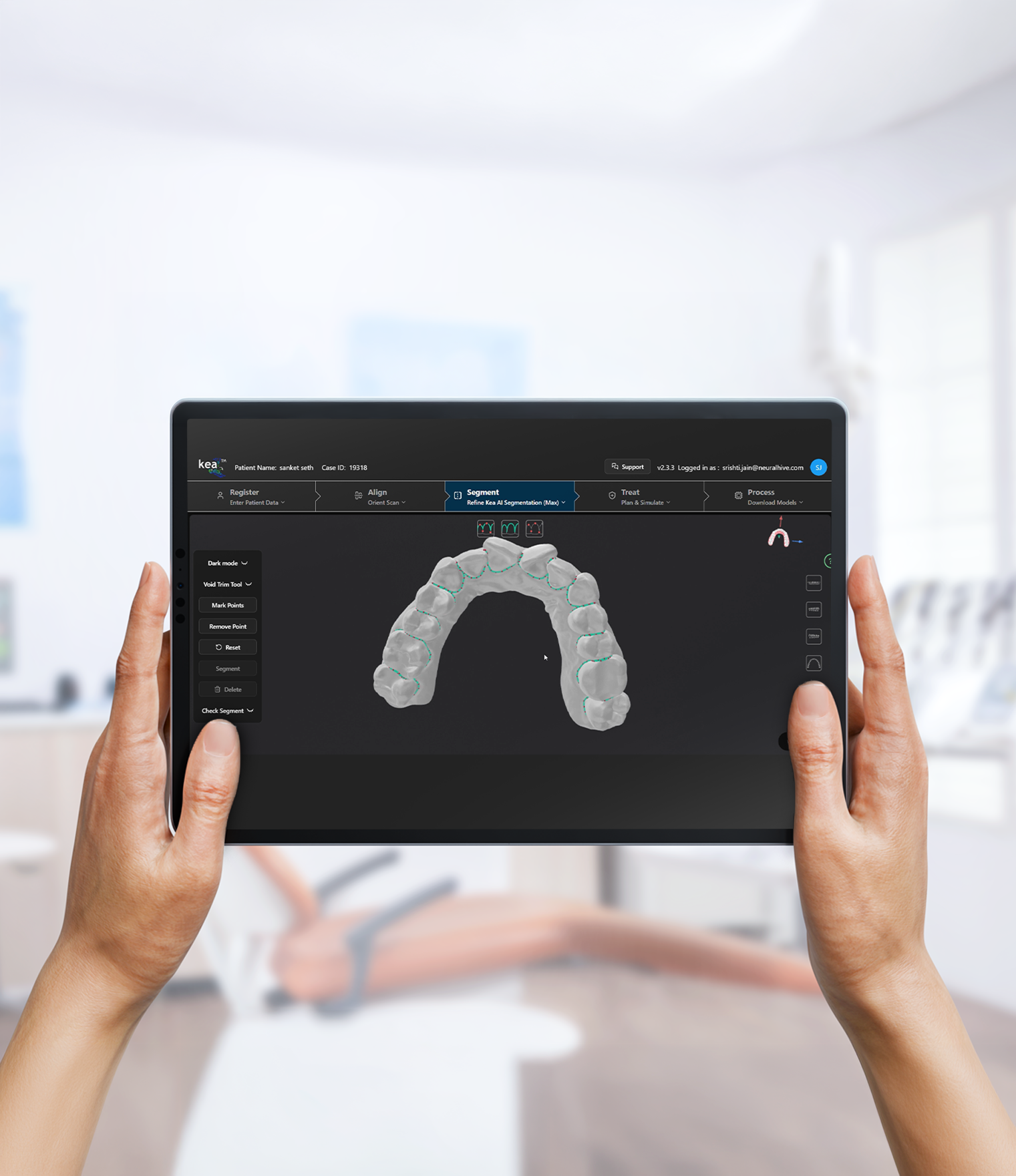
Segment
Segment individual teeth.
Automatically separate the scanned model into individual teeth segments.
Kea provides intelligent segmentation tools to speed up the process.
Adjust segmentation manually if required to ensure accurate treatment planning.
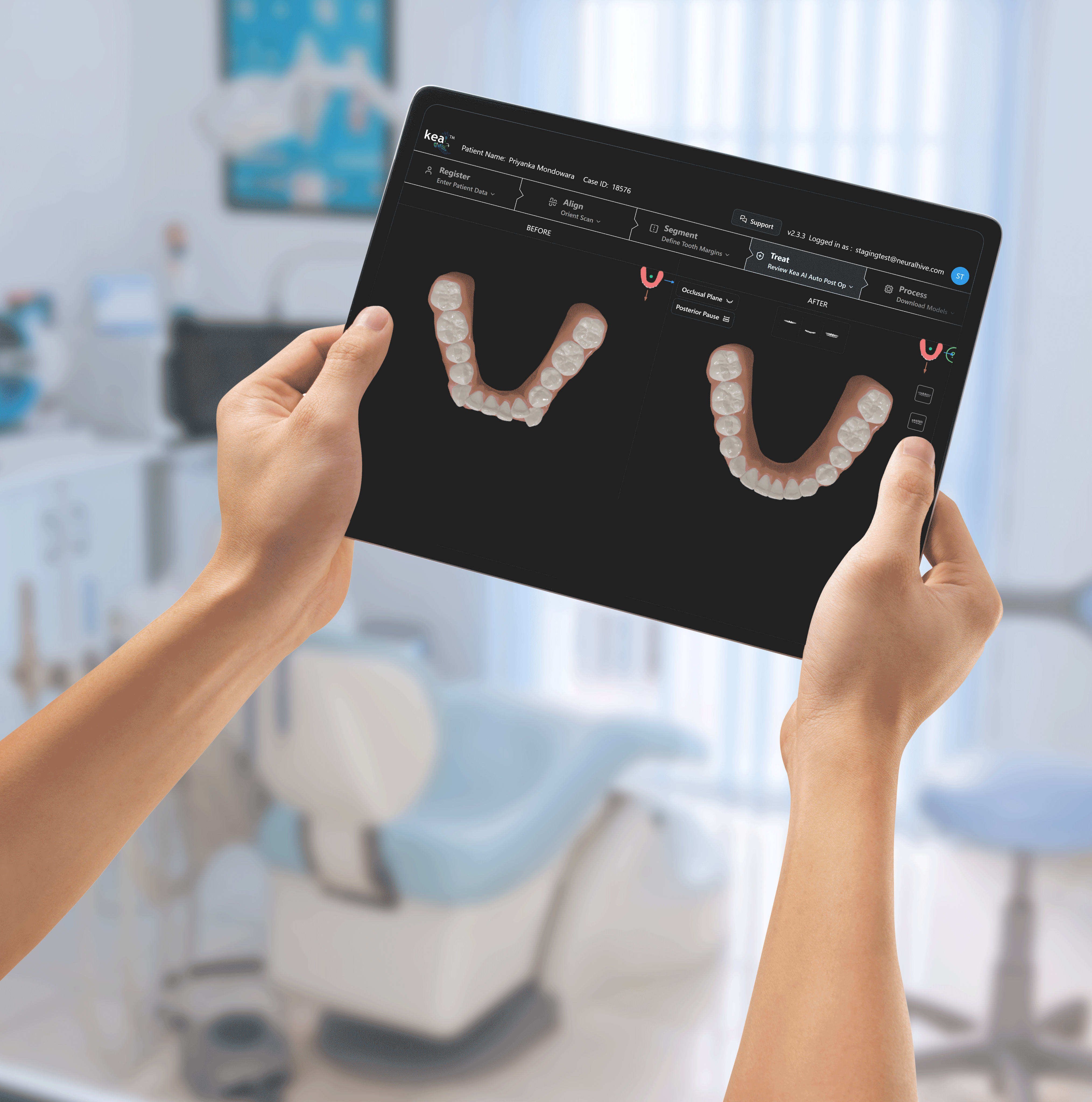
Treat
Plan the treatment stages.
Define the step-by-step movement of teeth to reach the final alignment.
Visualize each stage of treatment to ensure predictable results.
Fine-tune the treatment plan before moving to production.
Process
Generate production files.
Export finalized treatment stages for aligner production.
Kea prepares manufacturing-ready files compatible with aligner fabrication systems.
Once approved, the case moves directly to the production workflow.